Team and WhatsApp
Users (owners only) manages who can sign in.
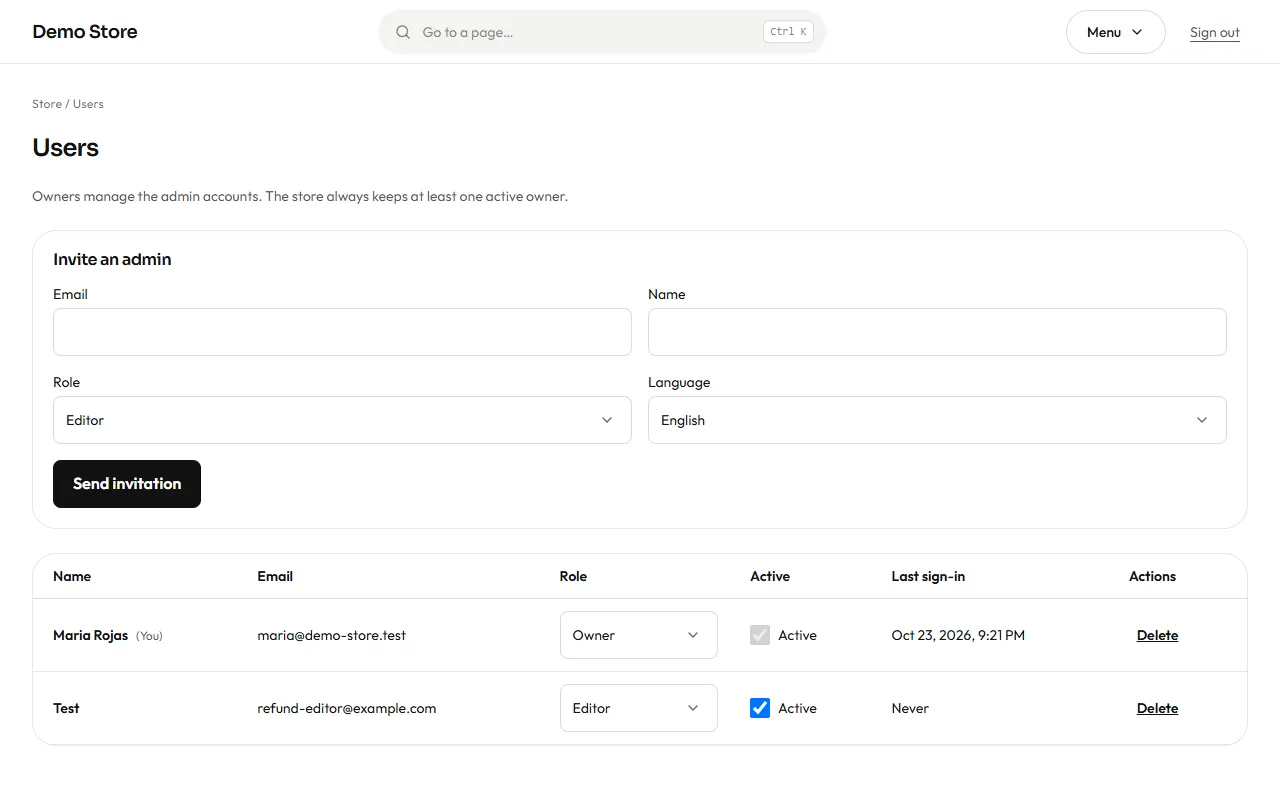
To add someone, fill in their email, name, role (Editor or Owner) and language, and press Send invitation. They receive an email with a link to choose their password. Until they accept, they cannot sign in.
In the list you can change a person’s role, switch Active off to stop them signing in without deleting their history, or Delete them. Two rules protect you: the store always keeps at least one active owner, and nobody can change their own role or switch off their own account.
WhatsApp can carry the same messages as email (order received, shipped, invoice…) and your store alerts. It uses the official WhatsApp Business platform from Meta, which has two consequences:
- Every message is a template that Meta approves before it can be sent.
- A customer receives WhatsApp messages only if they agreed at checkout.
The WhatsApp screen (owners only) is where this is managed.
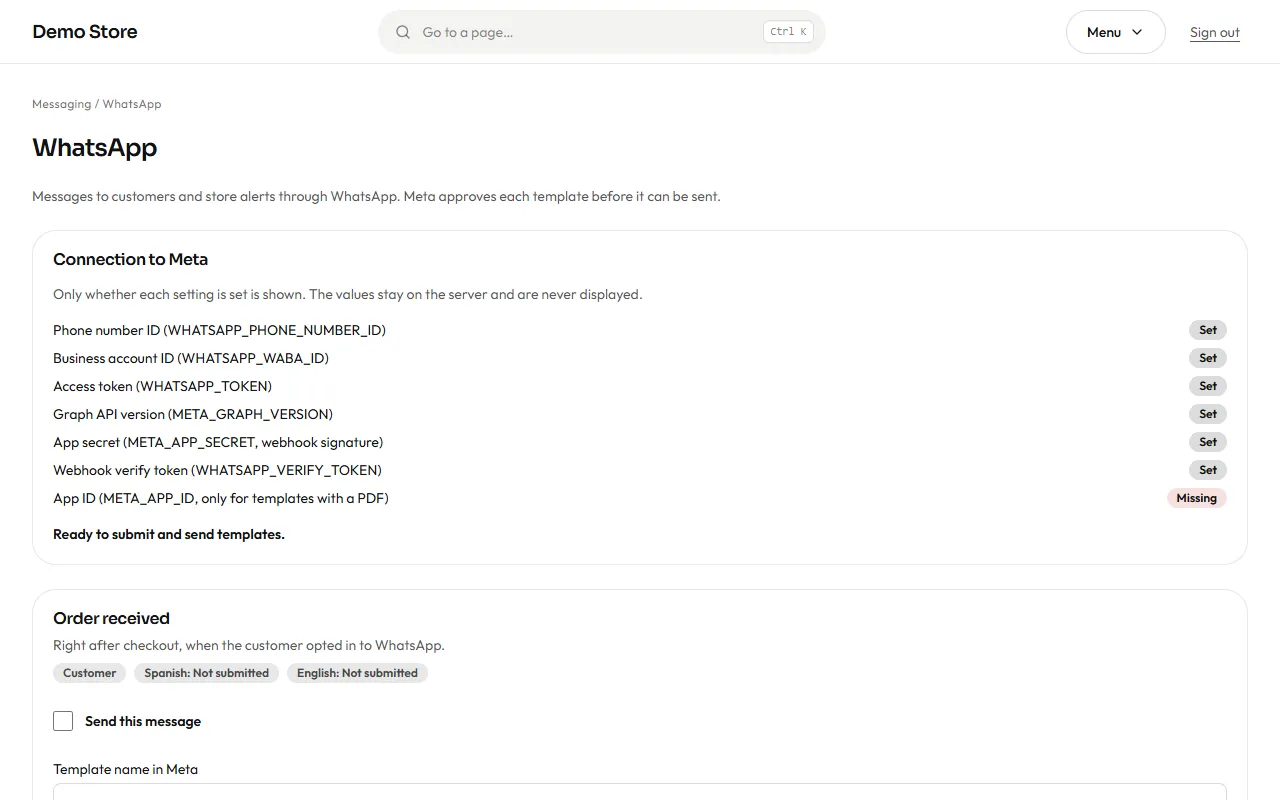
- Connection to Meta lists the seven values the connection needs, each marked Set or Missing. The values themselves are never shown; they are stored securely on the server when the store is launched. See the WhatsApp setup guide for how to get them.
- Below, each message has a card: the template name, the status in Spanish and English (Not submitted, Pending, Approved…), a Send this message switch, and buttons to Submit the template to Meta, Sync its status, and Send a test.
- A message is sent only when WhatsApp is on in Settings, the connection is complete, the message is switched on, and Meta has approved the template in the customer’s language. Anything else is recorded as Skipped, with the reason, in the message log.
The shop also has an optional floating WhatsApp button and a WhatsApp payment option; both work without the Meta connection, because they simply open a chat.